Roster import: Your roster does the logging.
Upload your roster as a PDF and Log-K creates the entries for you: flights, aircraft and sim duties, plus crew where the format has it. Supported systems are NetLine/CREWLINK (IDP and FTR) and CrewAccess. You see a preview before anything goes into your logbook.
How the import works
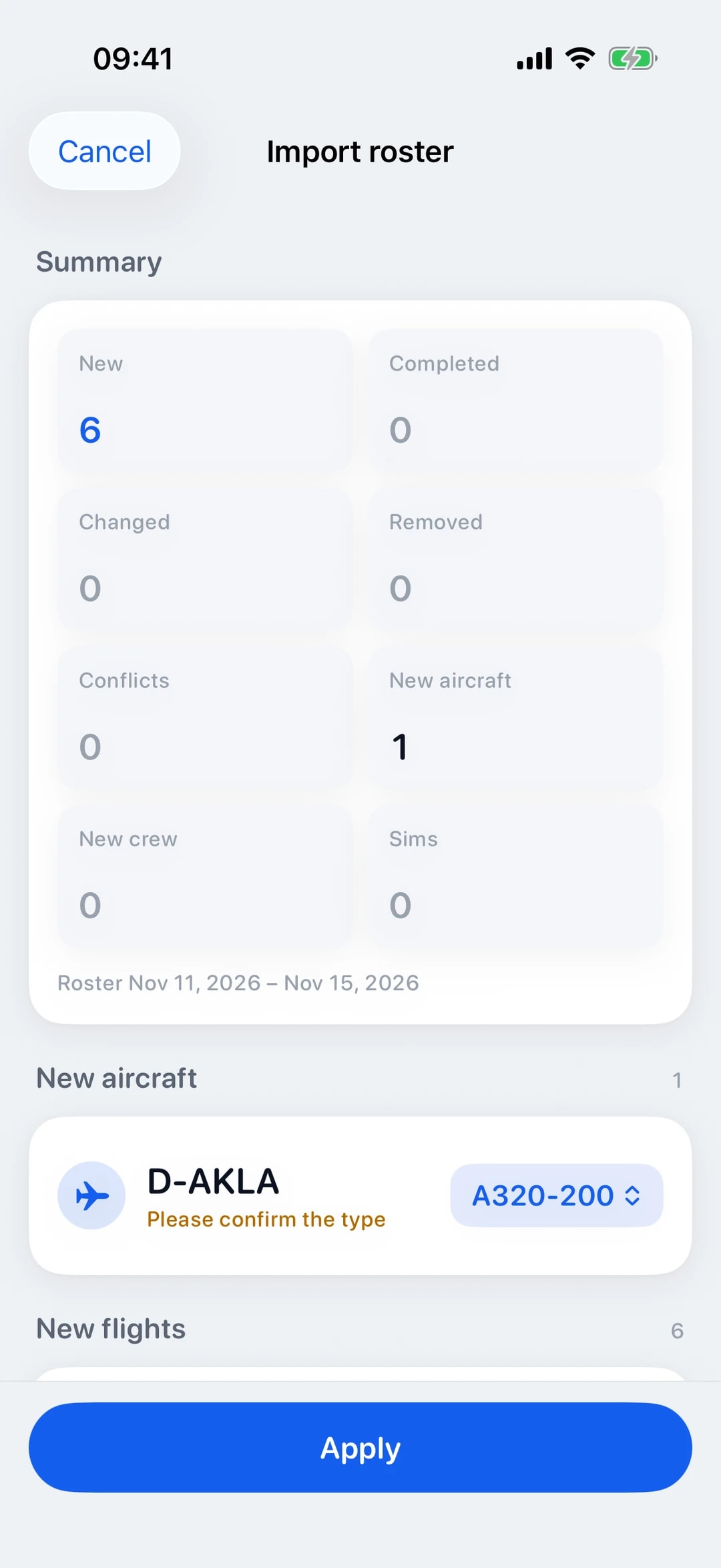
Three steps: upload the PDF, or in the iOS app use “Open in Log-K” from another app. Log-K shows you a preview of everything that is new or changes. Only when you apply it does it go into your logbook and sync with your devices.
Importing needs an account and an internet connection, because the roster is read on our server. You can upload up to ten PDFs at a time, up to 10 MB each and 25 MB in total.
NetLine/CREWLINK: IDP and FTR
From NetLine/CREWLINK, Log-K reads two reports: the Individual Duty Plan (IDP) and the Crew Member’s Flight Time Record (FTR). The IDP brings your planned flights and sim duties, and Log-K adds crew where the format has it: the IDP lists the crew on each leg.
An FTR does not contain crew names. It gives you actual block times, the registration and your role on board. Upload the IDP and FTR for the same period together and Log-K merges them into one entry per flight: times and registration from the FTR, crew from the IDP.
CrewAccess: Roster Preview and Roster
Log-K recognises both versions of the CrewAccess roster: the Roster Preview, with times in UTC, and the published Roster, which prints start and end in the local time of each airport. Log-K converts these local times to UTC using the airport’s time zone, so they match the rest of your logbook.
It takes over flights with their route and times, plus sim duties. This report has no registration and no crew names; you can add them to the flight later if you need them.
Review instead of rework
The preview shows what is new, what Log-K fills in or changes in existing flights, and where there is a conflict. Log-K recognises flights that are already in your logbook and does not create duplicates, even if you upload the same roster more than once.
Unknown registrations become new aircraft, and where needed you confirm the type in the preview. Where the format provides crew names, you also see new ones before they go into your crew list.
Preview: October roster
2 new flights and 1 new aircraft
- HAM – PMIAlready in your logbook
16 Oct, 05:50–08:25 UTC, A320, D-AKLA
- PMI – HAMNew
16 Oct, 09:15–12:00 UTC, A320, D-AKLA
- HAM – FUENew
18 Oct, 07:10–11:55 UTC, A321, D-AKLX
Unknown registration, confirm type
Made-up sample data.
From roster to confirmed flight
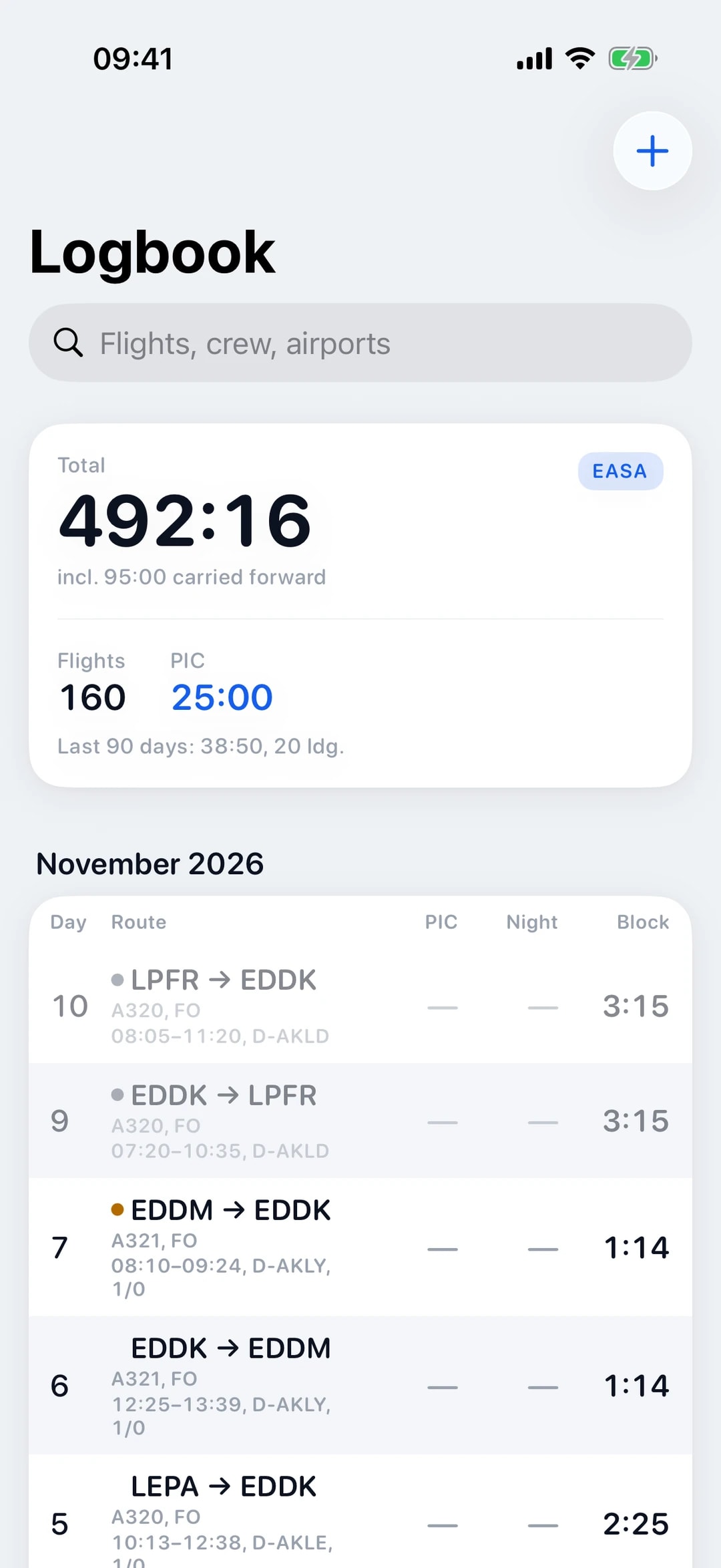
Flights from your roster first appear as “Planned”. While planned, they count nowhere: not in totals or columns, not in currency or statistics, not on the map and not in the PDF. Once the planned off-block time has passed, the flight becomes “Provisional” and counts from then on.
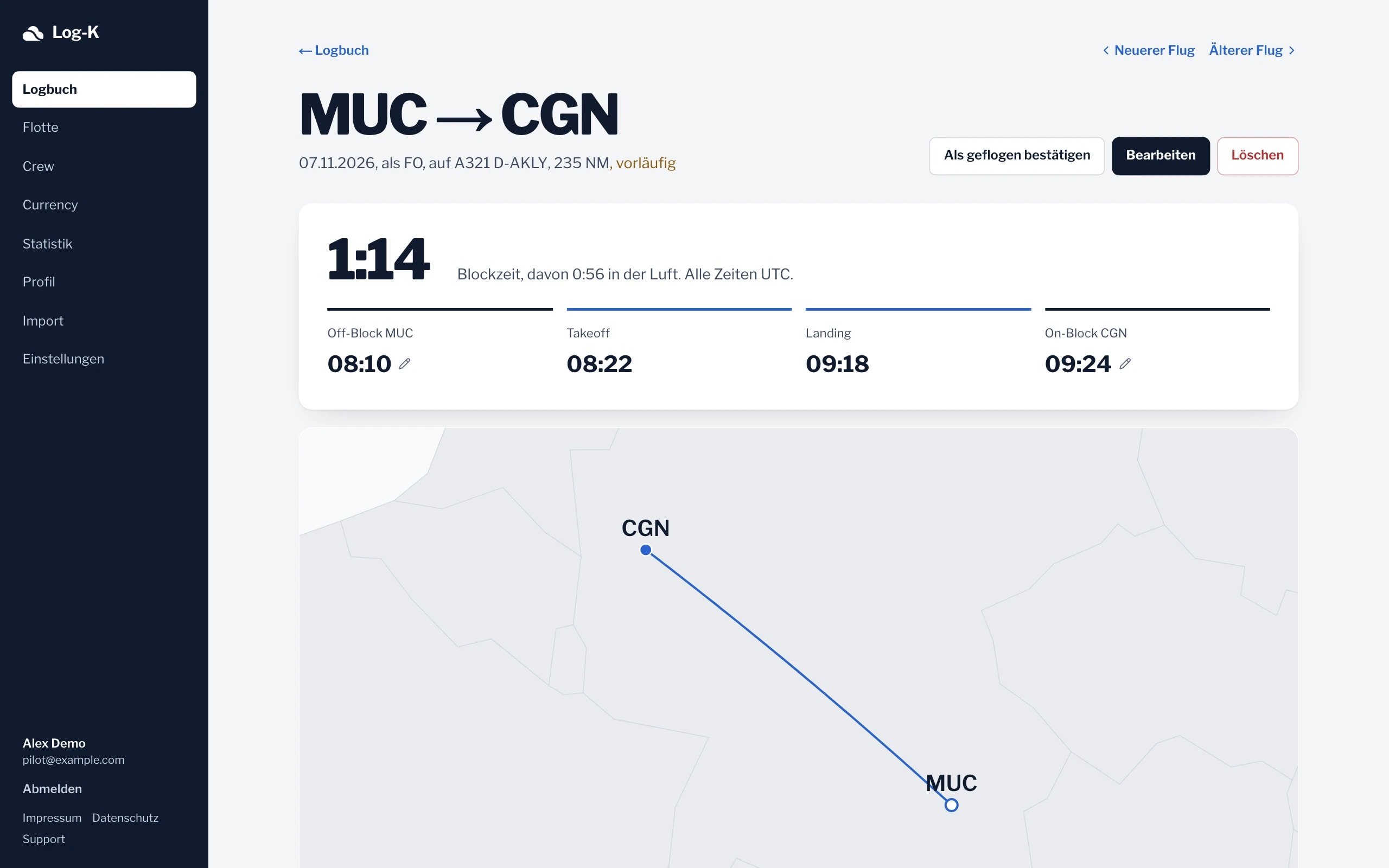
It becomes “Confirmed” when you import the Flight Time Record (FTR) for that period, and Log-K then takes over the actual block times and the registration. Without an FTR, you confirm the flight by hand with “Confirm as flown”, in the iOS app and in the web logbook (currently in German).
In the app and on the web
Import works in the iOS app and in the web logbook (currently in German). Both use the same server-side reading and the same rules, and whatever you apply then shows up on all your devices.
On the web you simply drag the PDFs into the window. On iPhone and iPad you pick them in the Files app or share them straight to Log-K.
Your system isn’t listed?
Log-K currently reads NetLine/CREWLINK and CrewAccess. If your operator uses a different system, get in touch via the support page. A sample PDF with personal data removed helps us.
Until then, you can log flights by hand or bring over a whole logbook from another app, see switching to Log-K.
LogTen, OffBlock, NetLine, CREWLINK and CrewAccess are trademarks of their respective owners. Log-K is not affiliated with them.
Frequently asked questions
Why are crew names missing after an FTR import?
How does Log-K handle local times in a roster?
What happens if I upload the same roster twice?
Do I need an account to import?
Related pages
Your logbook, digital from today.
Free in the open beta. For iPhone and iPad, plus the web logbook (currently in German).