FAA logbook: Log once, FAA columns filled in.
Log-K fills in your FAA logbook from the same entry that gives you the EASA columns. It works out PIC and SIC time, cross-country, night and instrument time, in the iOS app on your device and in the web logbook (currently in German) on our server. Your landings of the last 90 days are right there too.
FAA columns from a single entry
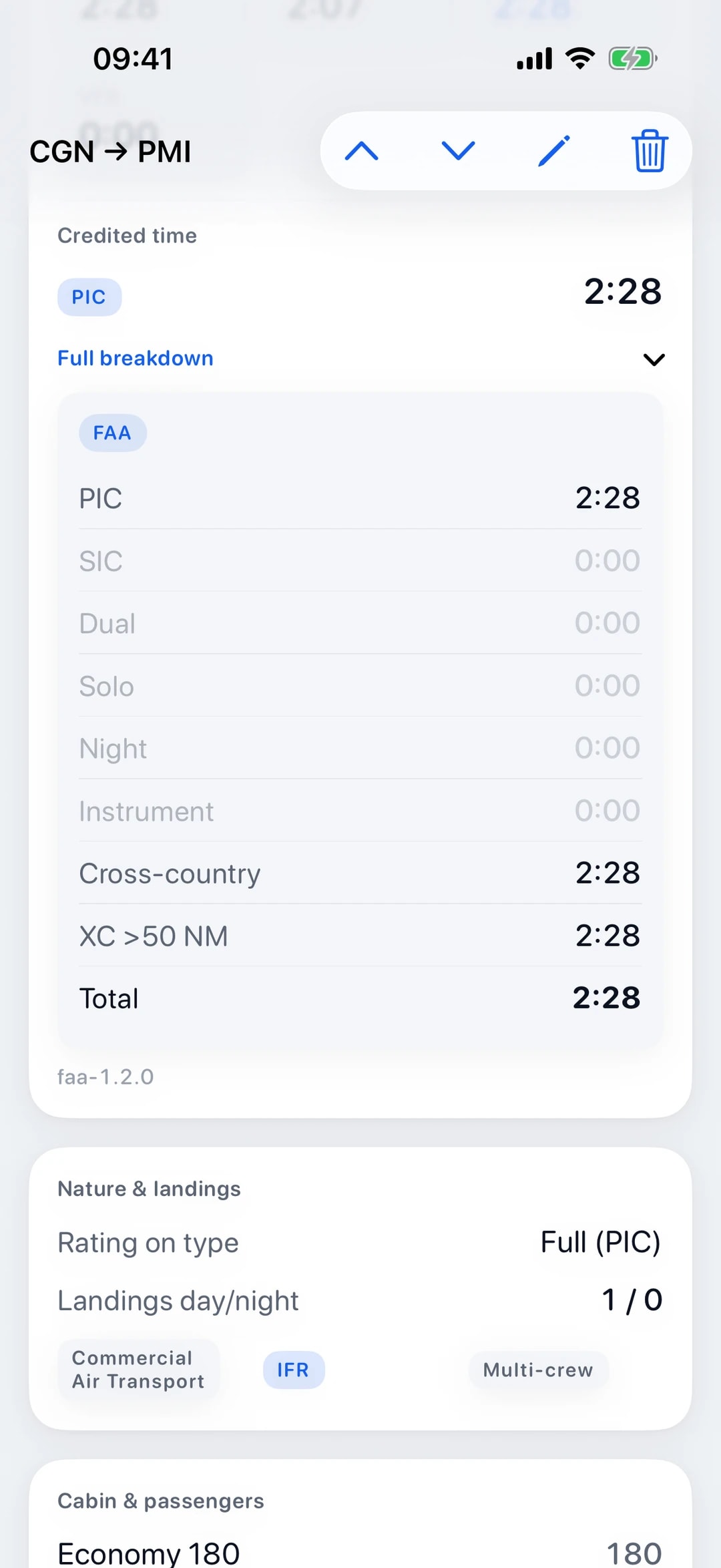
From a single entry, Log-K fills in the FAA columns in the iOS app and in the web logbook (currently in German): total, PIC, SIC, dual received, solo, night, instrument (you enter actual and simulated instrument time separately), cross-country and cross-country over 50 NM. Simulator sessions are kept separate as synthetic time.
Cross-country counts when the departure and destination airfields differ. The questions further down explain when Log-K logs PIC and when SIC (14 CFR 61.51).
Sample entry
18 Oct, KPAO – KMRY, C172, N518LK
| Total | PIC | SIC | Dual rcvd | Solo | Night | Instr. | XC | XC >50 |
|---|---|---|---|---|---|---|---|---|
| 1:10 | 1:10 | – | – | – | – | 0:20 | 1:10 | 1:10 |
Made-up sample data.
EASA and FAA side by side
Log-K works out every flight under both rulebooks, in the iOS app and in the web logbook (currently in German). You enter the times, your role and the airfields once; Log-K derives the EASA and the FAA columns from that, and when you export a PDF you pick EASA or FAA.
Where the rules differ, Log-K keeps them apart. As sole manipulator with the full type rating you log PIC time under the FAA rules; under EASA that alone does not count as PIC time. The FAA has its own column for cross-country over 50 NM, EASA does not. More on the EASA logbook.
Your landings in the last 90 days
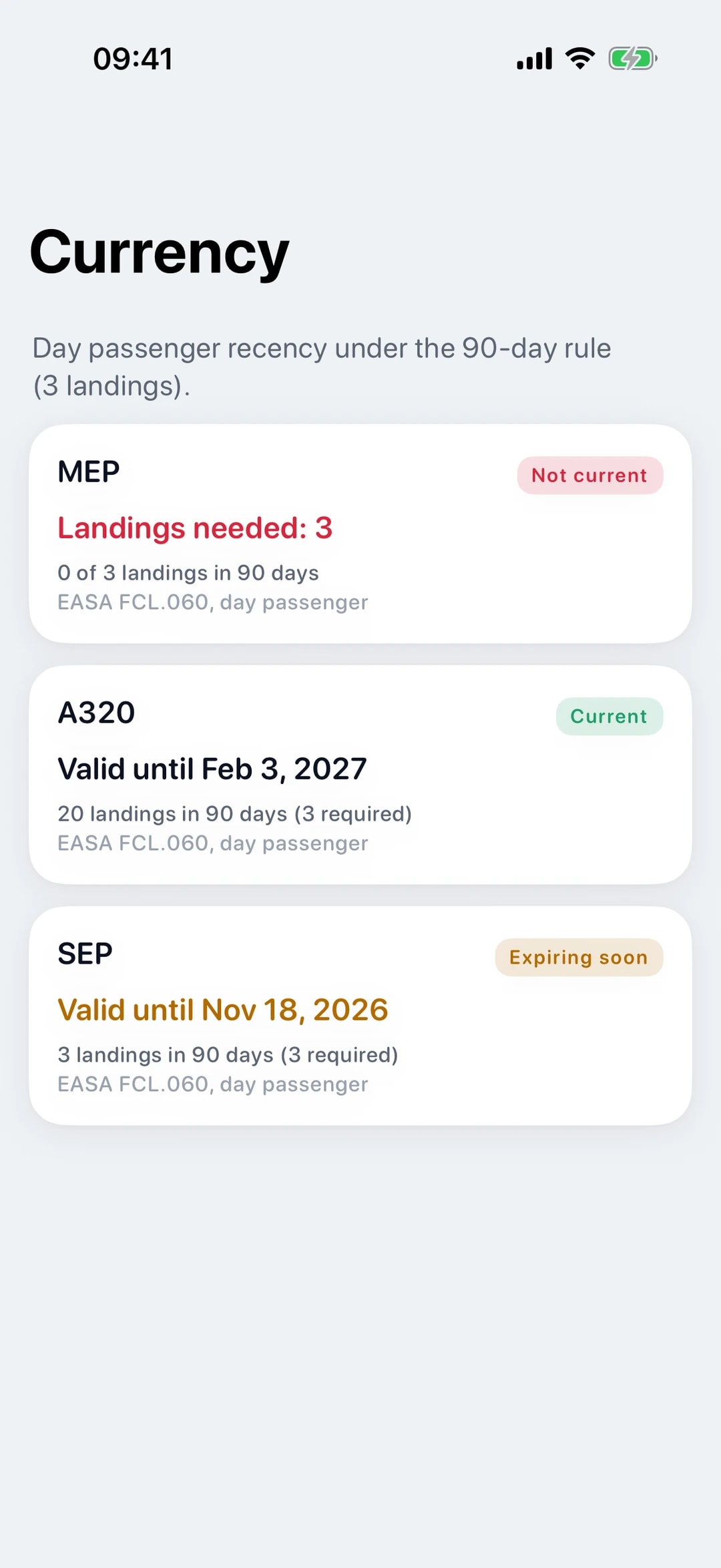
Log-K counts your landings of the last 90 days, grouped by rating or type. Log-K does not count simulator landings. Under 61.57(a), acting as PIC of an aircraft carrying persons takes three take-offs and three landings in the preceding 90 days in the same category, class and, where a class or type rating is required, type.
What 61.57(a) also requires (take-offs, sole manipulator, full-stop landings in a tailwheel aeroplane) is not checked by Log-K, and Log-K does not work out night recency under 61.57(b). The details are in our guide to the 90-day rule.
FAA-format export
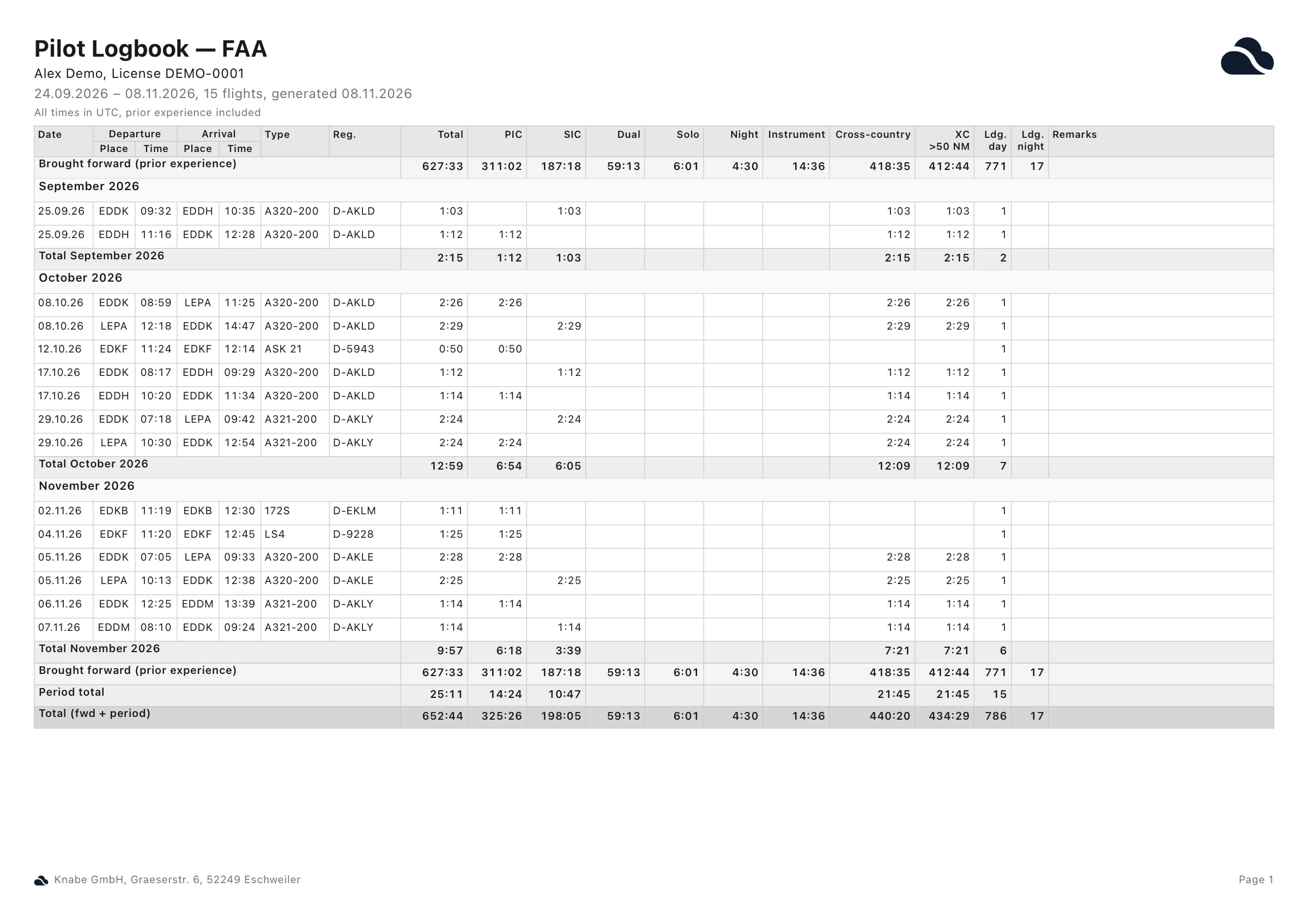
For an FAA-format export in the iOS app or in the web logbook (currently in German), you pick the period: the current year, the last twelve months or a range of your own. The PDF lists the FAA columns with monthly subtotals and totals carried forward, and closes with your previous experience, the period and the grand total.
The “Name PIC” column belongs to the EASA layout, so Log-K leaves it out of the FAA format.
Digital logbooks and the FAA
Under 14 CFR 61.51(a), you document the time you use for a licence, a rating or recent flight experience “in a manner acceptable to the Administrator”, in other words in a form the FAA accepts.
Log-K gives you the FAA columns and a PDF you can print, in the iOS app and in the web logbook (currently in German).
Frequently asked questions
How does Log-K detect cross-country time?
How does Log-K keep actual and simulated instrument time apart?
When does Log-K log PIC or SIC time (14 CFR 61.51)?
Related pages
Your logbook, digital from today.
Free in the open beta. For iPhone and iPad, plus the web logbook (currently in German).