EASA logbook: Your EASA logbook, kept digitally.
Log-K keeps your EASA logbook without you filling in columns by hand. Log a flight once, and Log-K works out PIC, co-pilot, night, IFR and the other columns, in the iOS app on your device and in the web logbook (currently in German) on our server. You also see your landings of the last 90 days and can export a PDF in EASA layout.
EASA columns, filled in automatically
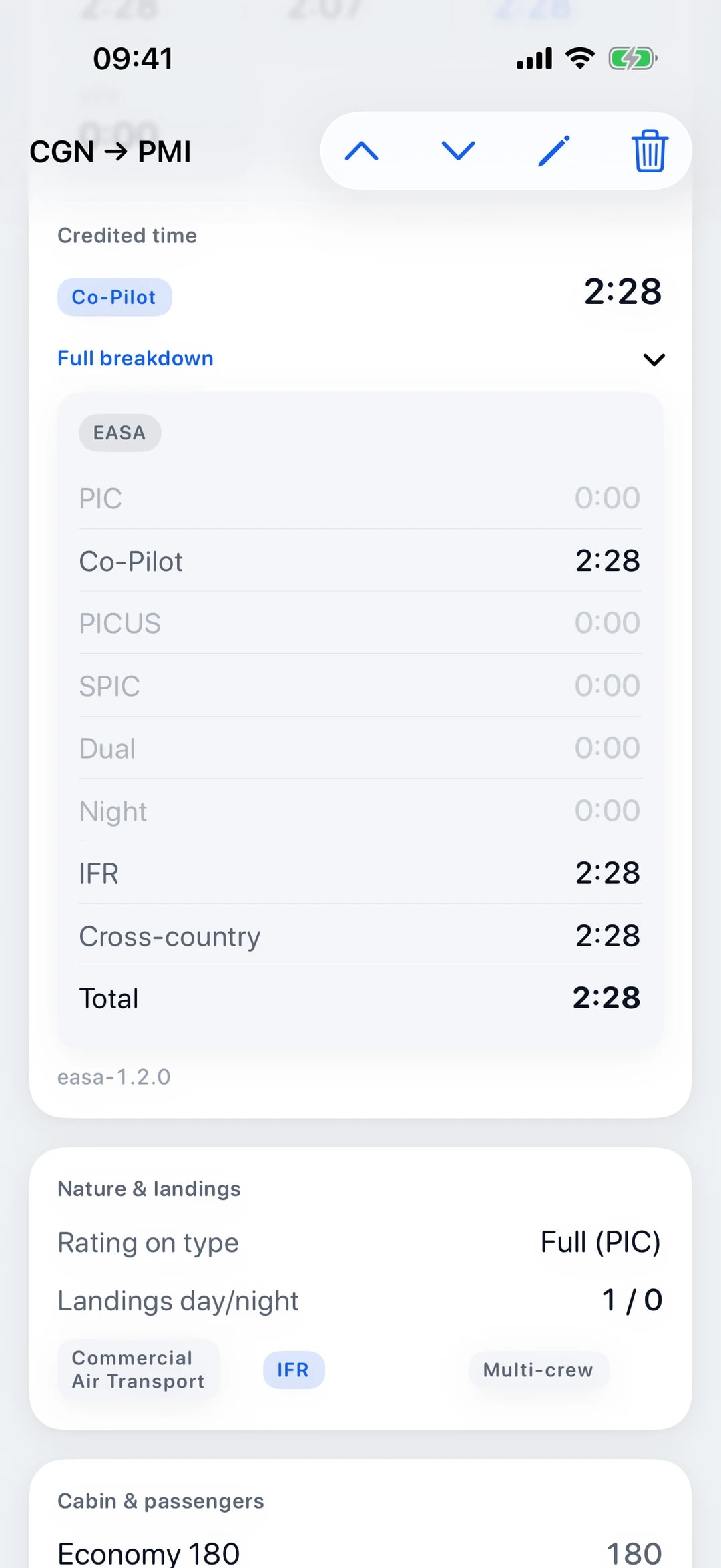
Log-K fills in the EASA columns from what you enter about the flight, in the iOS app and in the web logbook (currently in German): total time, the function times PIC, co-pilot, PICUS, SPIC and dual, plus night, IFR and cross-country. You see these columns in the flight view, in your statistics and in the PDF. Simulator sessions are kept separate as synthetic time.
PICUS and SPIC time only counts once the flight has been countersigned. Co-pilot time only comes up when the type or the operation requires more than one pilot and you are not already logging PIC time. Positioning flights and simulator sessions do not count as flight time.
Sample entry
18 Oct, EDHL – EDXW, C172, D-EKLK
| Total | PIC | Co-pilot | Dual | Night | IFR | XC |
|---|---|---|---|---|---|---|
| 0:55 | 0:55 | – | – | 0:20 | – | 0:55 |
Made-up sample data.
Night time from the sun’s position
Log-K works out night time from the sun’s position. Night is the time when the sun is more than six degrees below the horizon, that is between the end of evening civil twilight and the beginning of morning civil twilight. Log-K counts from take-off to landing; if those times are missing, it uses off-block and on-block.
Log-K checks the sun minute by minute at the departure and at the arrival airfield and averages the two. Night time is therefore an approximation based on the departure and arrival airfields, not a calculation along the route you flew.
Simulator: FSTD sessions kept separate
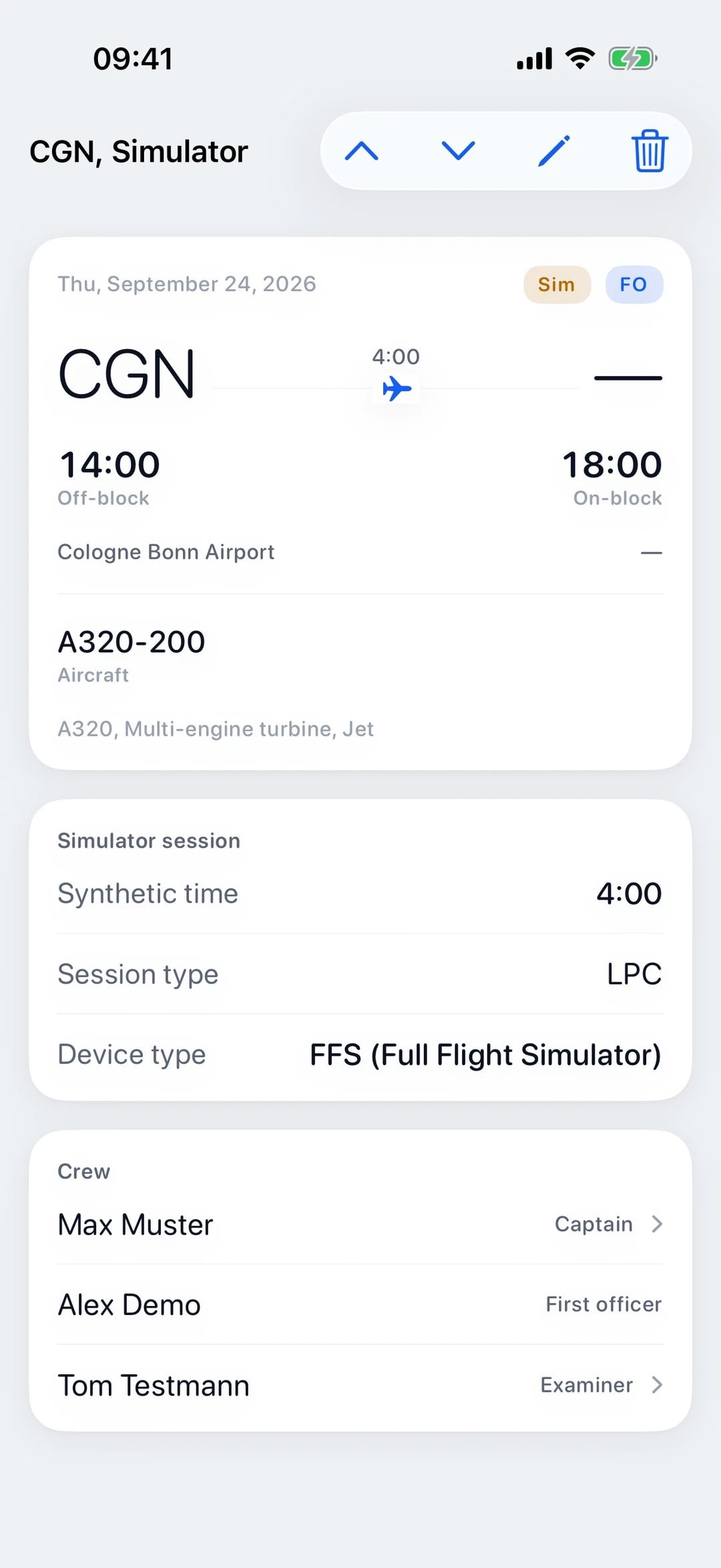
In the iOS app and in the web logbook (currently in German), simulator sessions have their own form: date, device type (FFS, FTD, FNPT), the kind of session such as type rating, LPC, OPC or recurrent, the aircraft type, location, off-block and on-block and your instructor. Log-K keeps the time as synthetic time in its own FSTD column.
Simulator sessions do not count as flight time, as night time or towards your landings of the last 90 days. Your flight time stays cleanly separate, and the session is still in your logbook.
90 days, 3 landings: FCL.060 at a glance
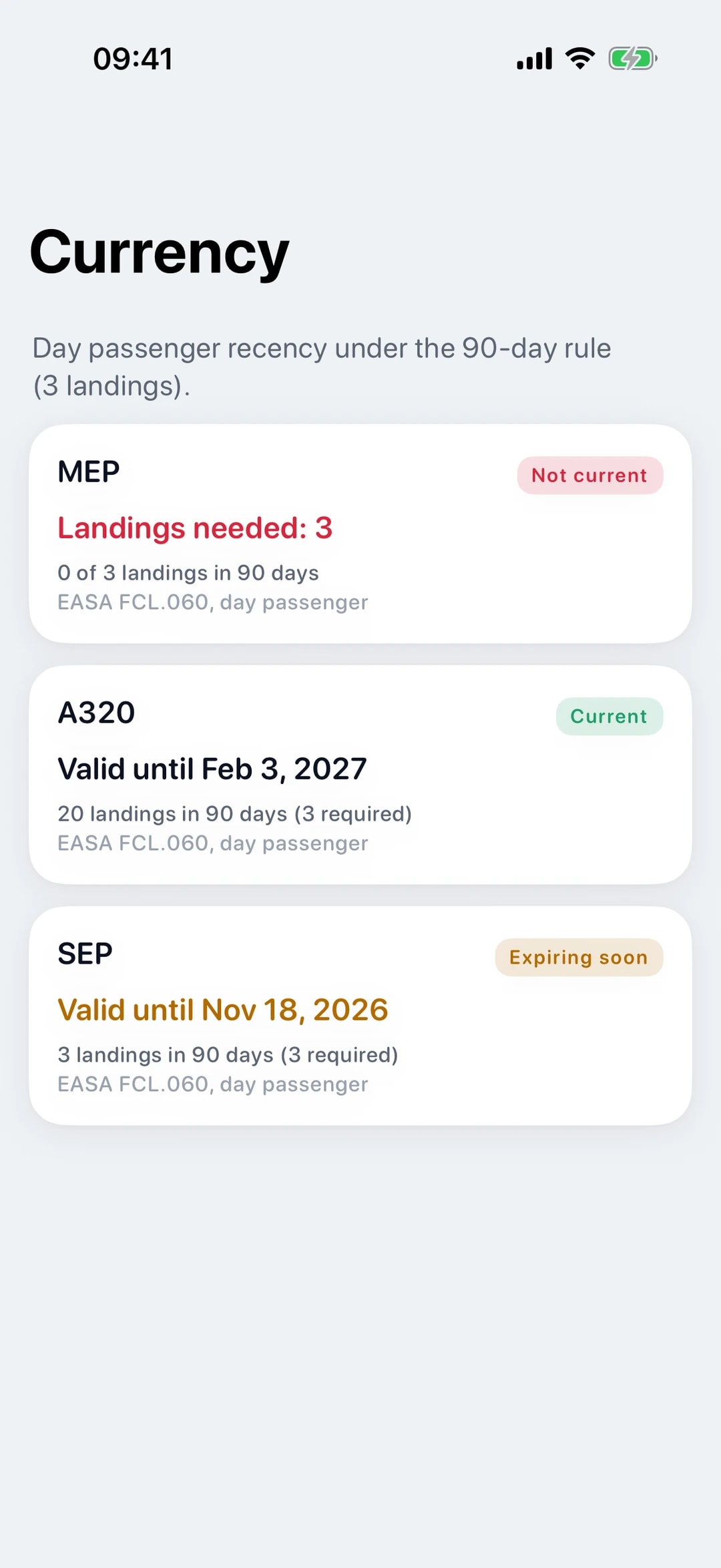
Log-K counts your landings of the last 90 days, grouped by rating or type. Log-K does not count simulator landings. To carry passengers, FCL.060 asks for three take-offs, approaches and landings in the preceding 90 days; Log-K shows you how many landings fall inside that window.
Log-K does not check take-offs and approaches separately. What the rule asks for in detail is covered in our guide to the 90-day rule.
Export in EASA layout
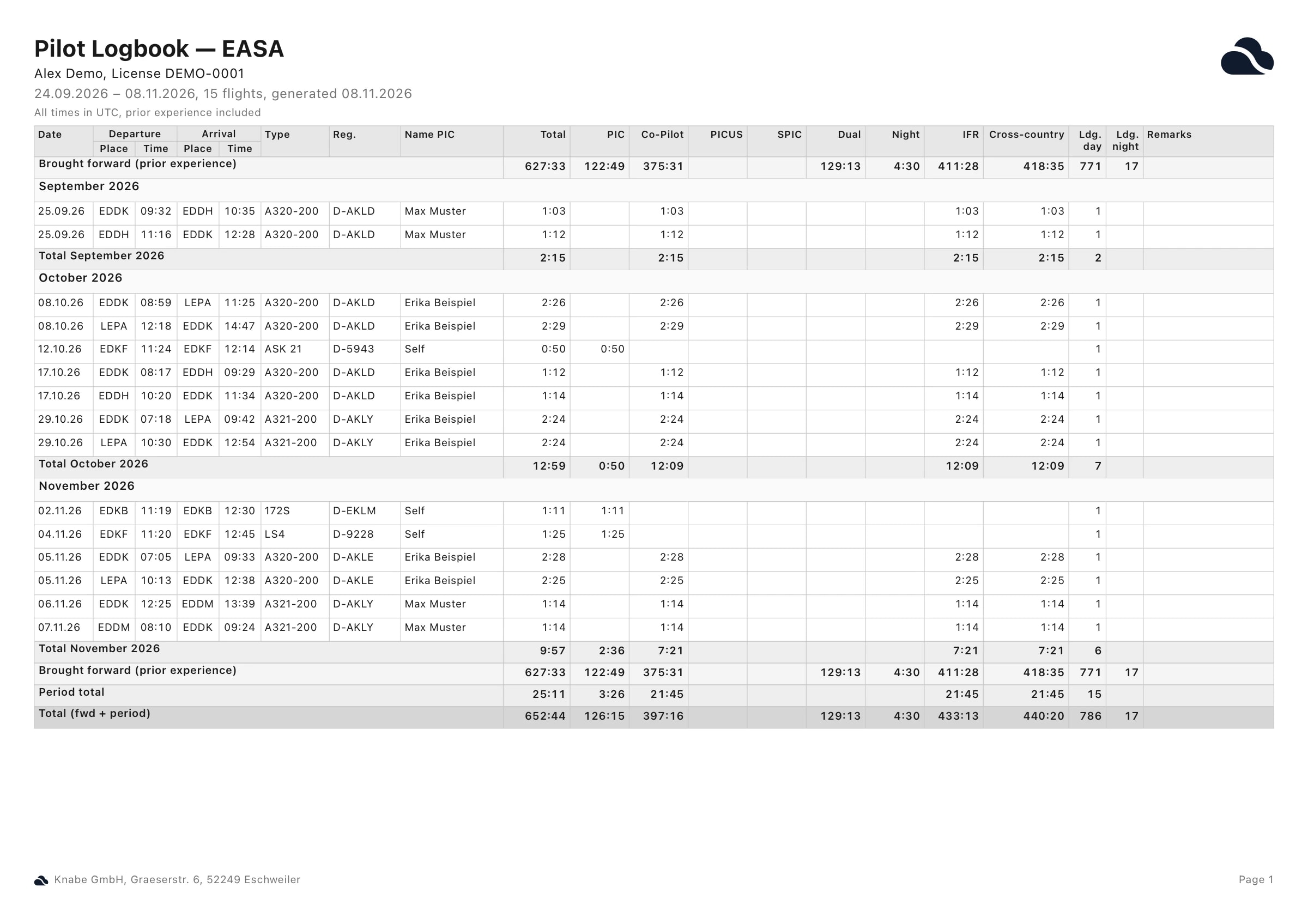
You export your logbook as a PDF in the iOS app or in the web logbook (currently in German), either in EASA layout or in FAA format. You choose the period: the current year, the last twelve months or a range of your own.
The PDF has monthly subtotals, totals carried forward from page to page and, at the end, your previous experience, the period and the grand total. You enter the totals from your old logbook once as previous experience, in the app under Settings and in the web logbook (currently in German) under Profile.
Is an electronic logbook accepted?
Under AMC1 FCL.050, the logbook may be kept in the prescribed format electronically.
You can print and sign the PDF from the iOS app or the web logbook (currently in German). The regulation itself is in EASA’s Easy Access Rules for Aircrew. The Swiss FOCA explains on its page about digital logbooks (in German) what it expects for licence applications.
Frequently asked questions
Which EASA columns does Log-K fill in?
How does Log-K work out night time?
How do I log simulator time?
Related pages
Your logbook, digital from today.
Free in the open beta. For iPhone and iPad, plus the web logbook (currently in German).