iPhone, iPad, Mac
Through TestFlight, Apple’s official testing app.
You enter what you flew. Log-K turns it into your EASA and FAA logbook with totals and deadlines, in the app and on the web.

Install the iOS app through TestFlight, Apple’s app for beta versions. On first launch you create an account with your email address and a password, then confirm the address using the link in our email. The same account signs you in on iPhone, iPad and the web logbook, currently in German, in your browser.
You log flights in UTC, picking departure and destination from the airport list and the aircraft from your fleet. Or import them: from your roster, a Flight Time Record or a file from LogTen Pro or OffBlock, always with a preview first. You enter hours from your previous logbook once as previous experience.
Log-K fills in the EASA and FAA columns and counts your landings in the last 90 days, in the iOS app on your device and in the web logbook, currently in German, on our server. Reminders arrive 30 and 7 days ahead and on the day, by email too. The PDF export works in both.
Upload your roster. Log-K recognises flights, aircraft and, where the format has it, crew, and puts everything in front of you to check. Anything already in your logbook isn’t added twice.
More about roster import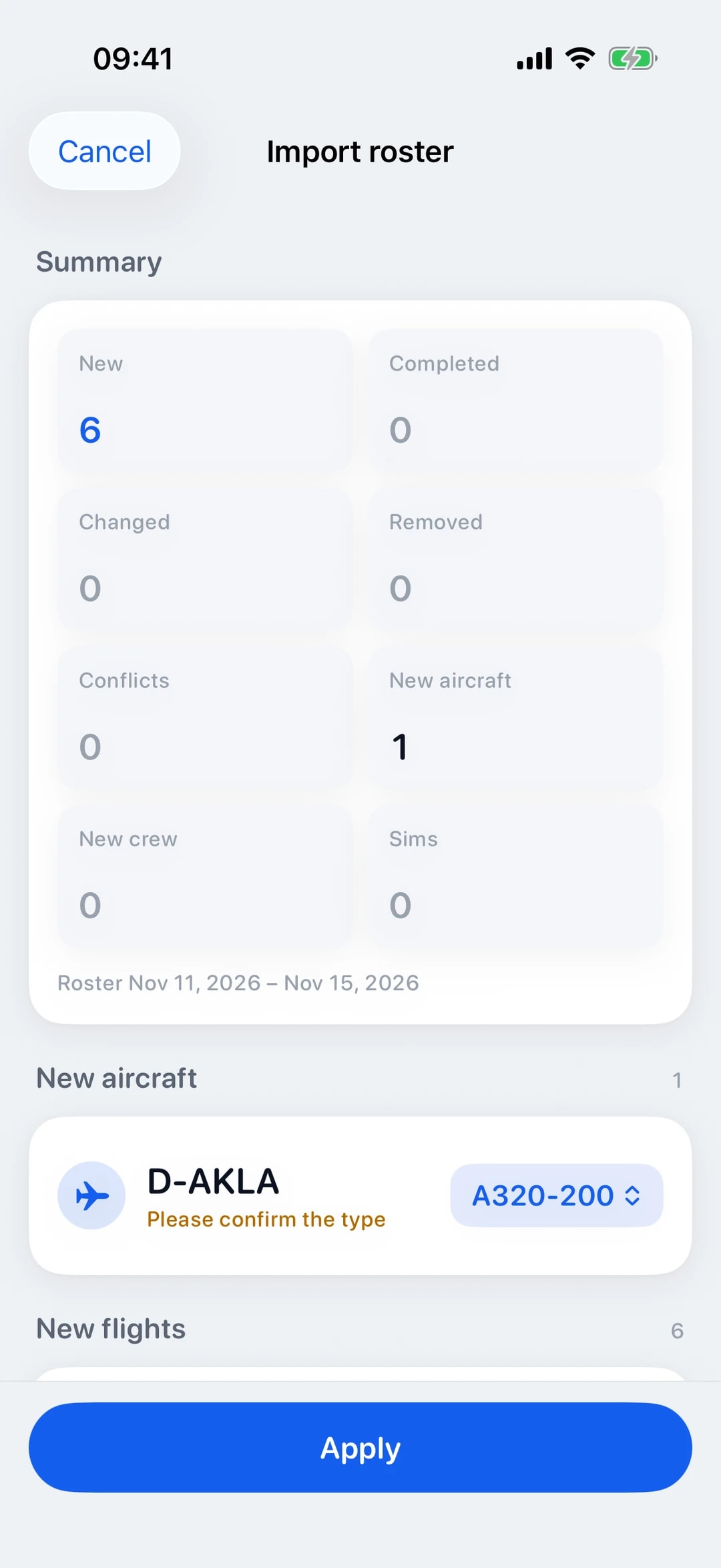
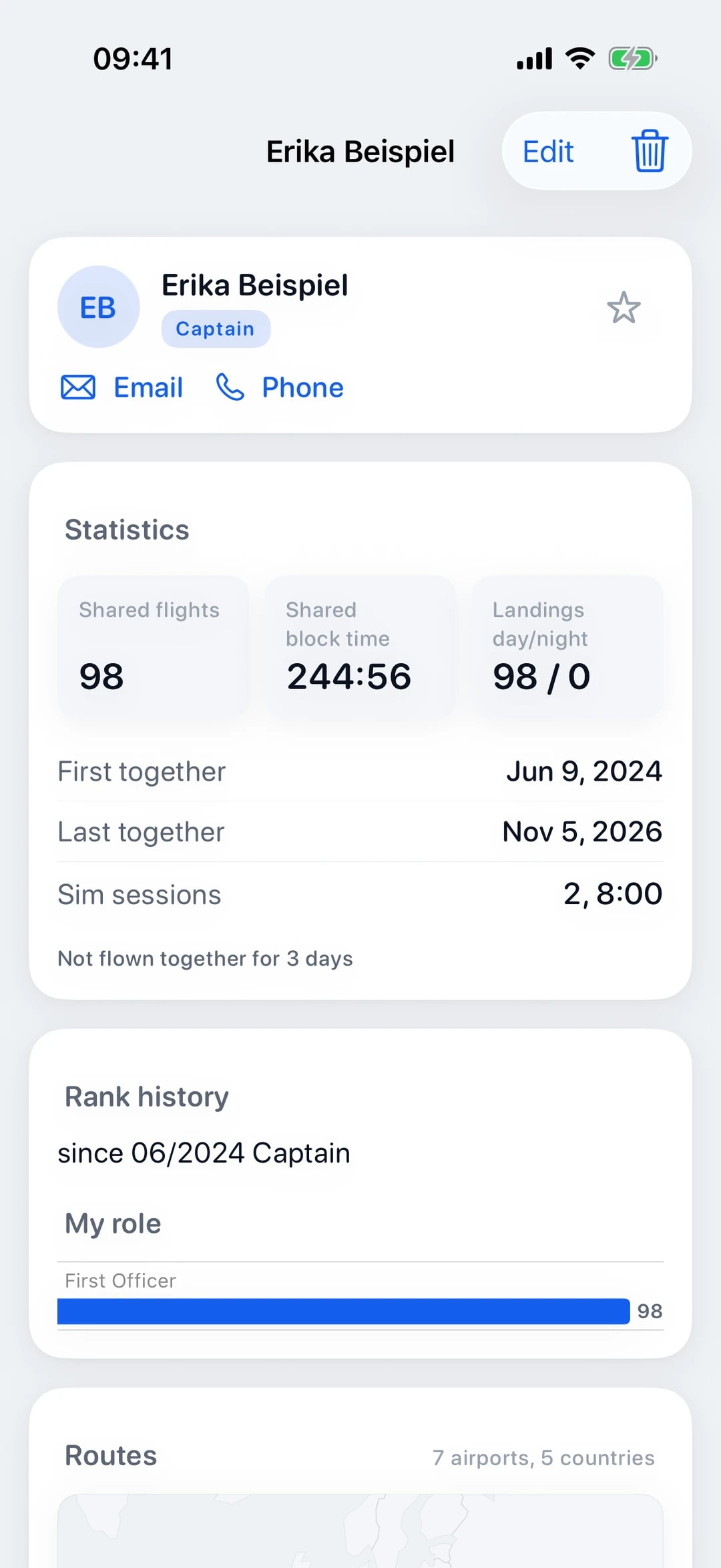
Send your flight to everyone who sat in the cockpit with you and has a Log-K account. Whoever receives it takes it over in their own role, with you in the crew list.
You log each flight only once. Log-K fills in both the EASA and the FAA columns from it, in the iOS app and in the web logbook (currently in German).
Log-K counts your landings of the last 90 days by rating or type. The iOS app reminds you 30 and 7 days before your licence, ratings or medical expire, and by email too if you switch it on.
Log-K imports your logbook from LogTen Pro, OffBlock or a PDF in EASA layout. Flights that are already there are not added twice.
Log winch, aerotow, car, self and bungee launches right with each flight. Log-K shows your Part-SFCL recency status for each launch group.
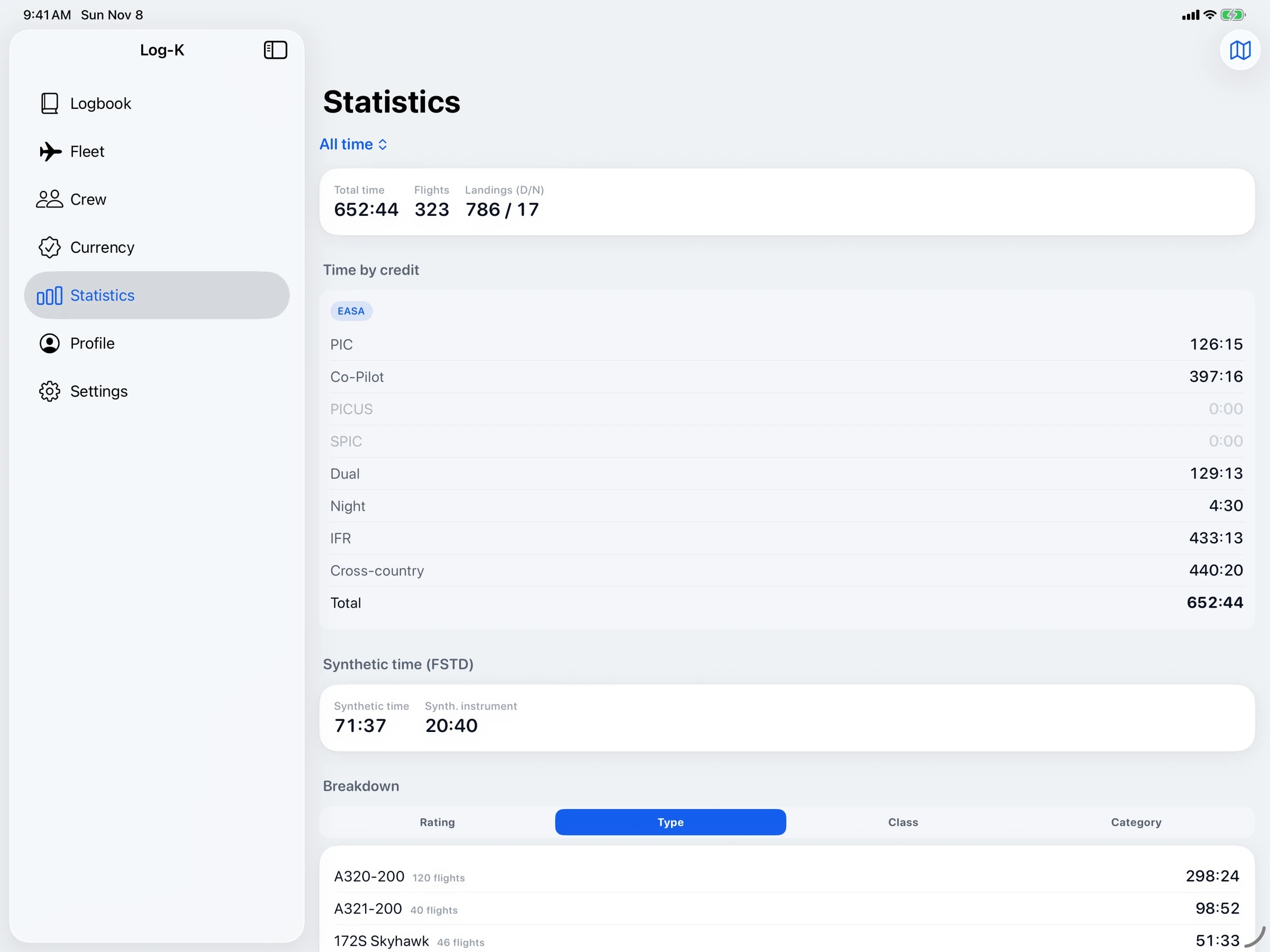
Statistics show your hours and flights by type, class and category. The route map draws the flights you have flown, and in the iOS app it works without a connection too.
Log-K shows no ads, uses no trackers and does not sell data. Our server is hosted by Hetzner in Germany, and the connection is encrypted with TLS.
The iOS app runs on iPhone and iPad with iOS or iPadOS 18.2 or later, with a sidebar for every section on iPad. With the same account, the web logbook, currently in German, lets you log flights in your browser, see columns, statistics and currency, import rosters and export a PDF. The app syncs your changes once online, and its sync status shows whether anything is pending.

Free in the open beta
Through TestFlight, Apple’s official testing app.
Coming soon, straight from our website.
Log-K runs on iPhone, iPad and Mac, soon on Android too, and syncs as soon as you’re back online. The app is currently in open beta.