Features: Everything a logbook should do.
Log-K is the logbook that does the maths once you have landed. You log a flight once, and Log-K fills in the EASA and FAA columns, counts your landings and reminds you before things expire. Here are all the features, and which platform each one is on.
Logging
You enter every time in UTC: off and on block, plus take-off and landing time if you like. Your role on board comes from a fixed list: PIC, co-pilot, PICUS, SPIC, dual, instructor, examiner or solo. Add the type, registration, landings, flight number and remarks.
Missing something? Save the flight as a draft with just the date and departure, and fill in the rest later. In the app and in the web logbook (currently in German) you pick departure and destination from more than 72,000 airports and heliports. The iOS app has them built in, so its search works without a connection too.
In the app and the web logbook you record the cabin configuration and passengers right on the flight. Search filters by crew, registration, type, airport, kind of entry and period, and you change off and on block or the registration straight from the flight view.

Calculating
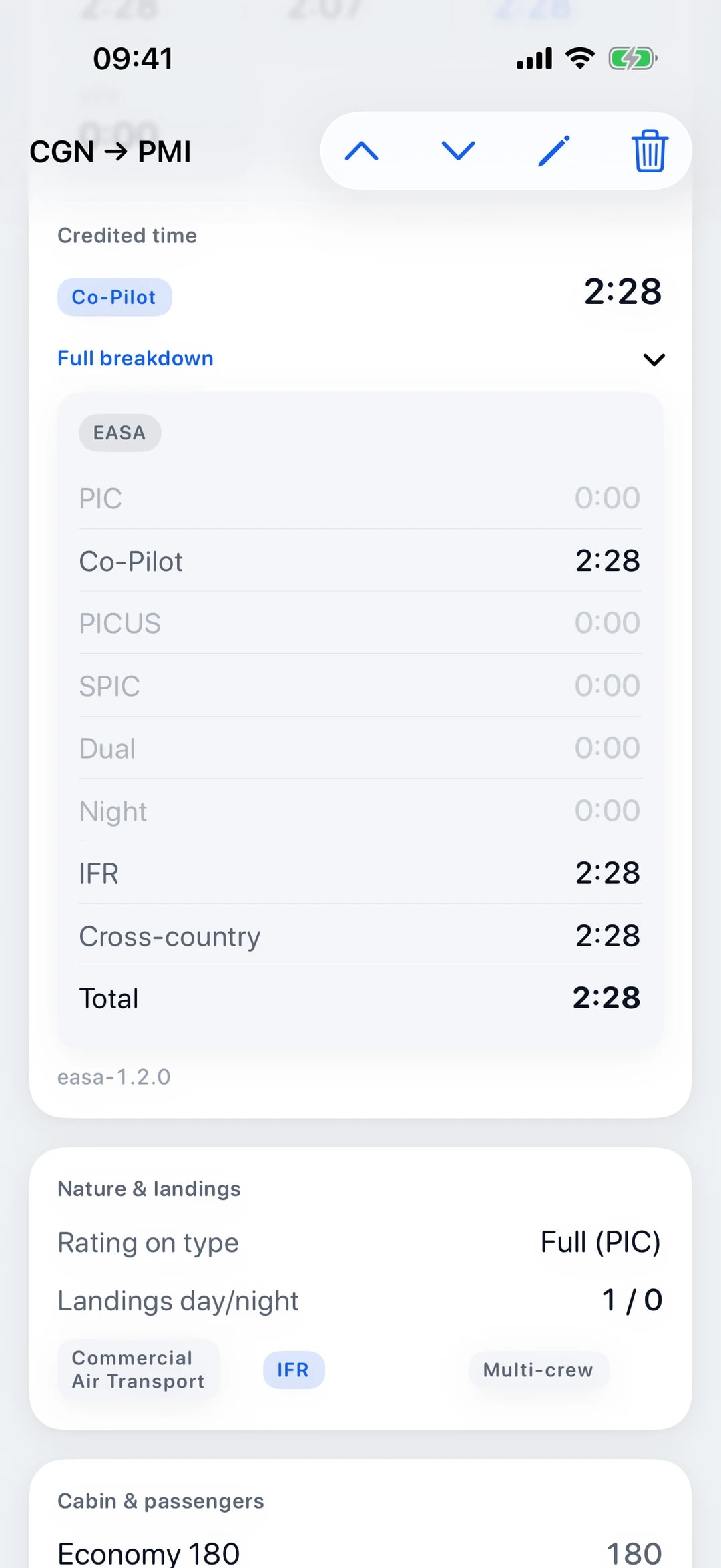
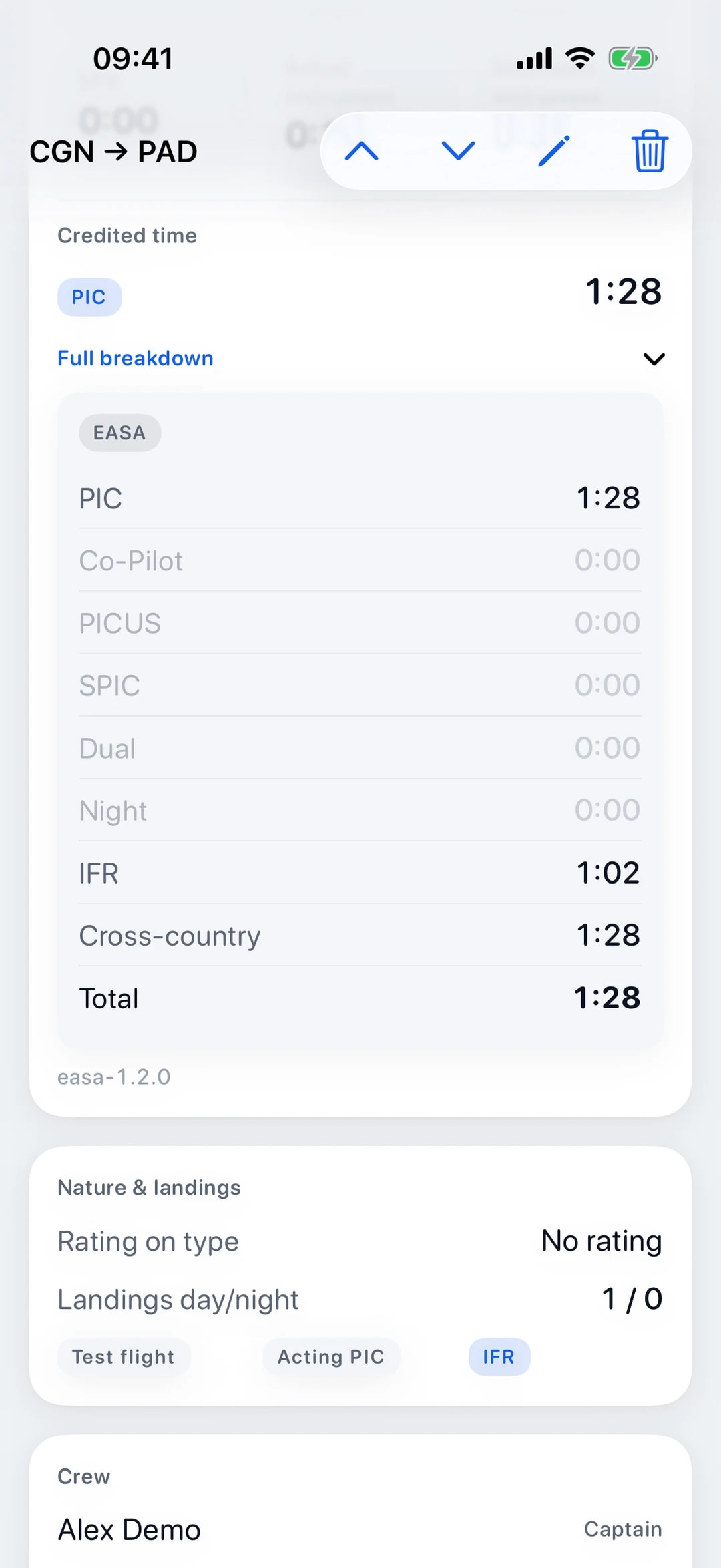
The iOS app works out the EASA and FAA columns on your device, and the web logbook (currently in German) uses the same calculation on our server. A single entry gives you the EASA columns such as PIC, co-pilot, PICUS, dual, night and IFR, and at the same time the FAA columns such as SIC, solo, instrument and cross-country. More on the EASA logbook and the FAA logbook.
Night time comes from the sun’s position: Log-K uses civil twilight at the departure and destination to approximate the night portion from take-off to landing. Simulator sessions in an FSTD are kept separate as synthetic time.
IFR time is an EASA column and instrument time an FAA column, in the app and on the web, both worked out from the facts you log. So a flight under instrument flight rules does not automatically count as instrument time. You enter actual and simulated instrument time separately, and the instrument column shows their sum.
Deadlines
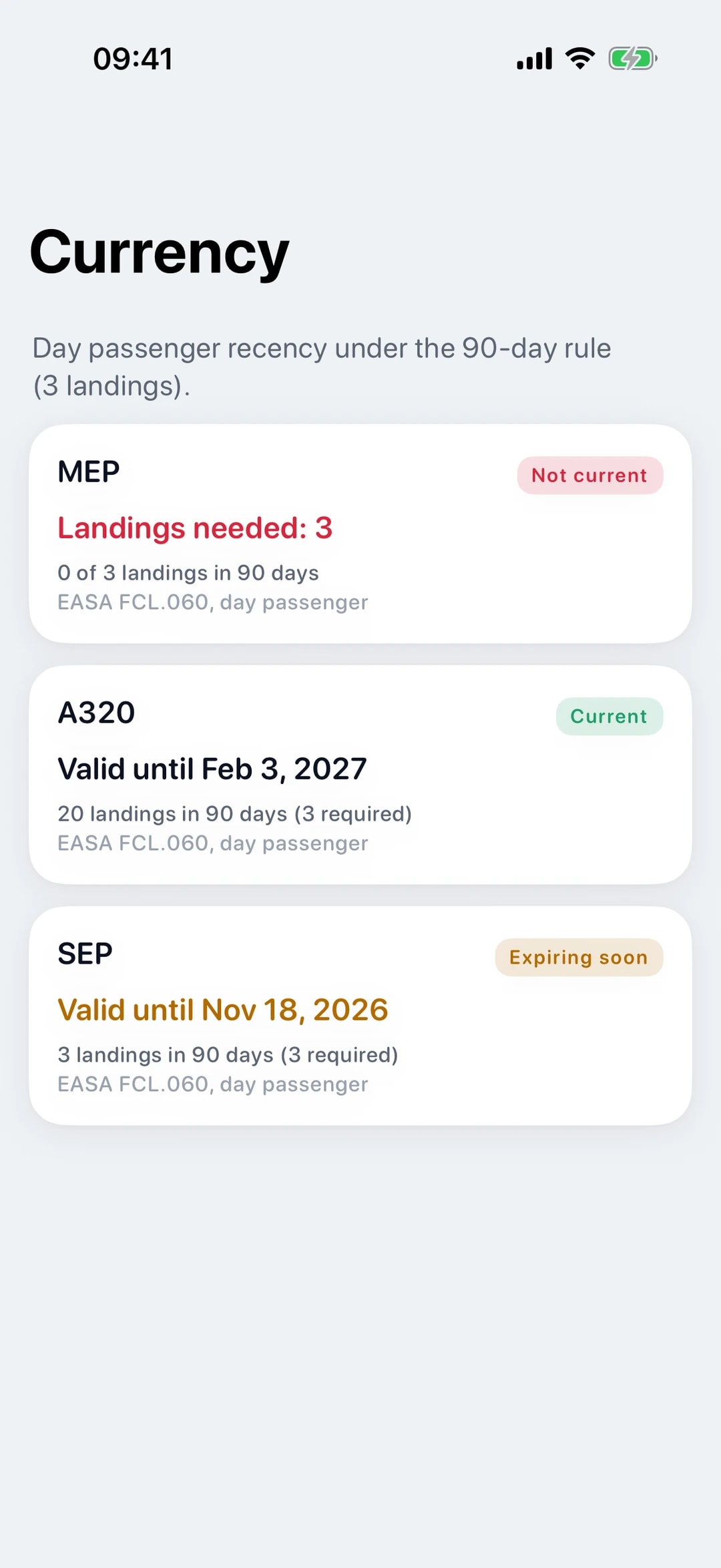
For carrying passengers, Log-K counts your landings (day and night) over the last 90 days, grouped by rating or type, and shows whether you have the three landings. It does not check take-offs, sole manipulator or full-stop landings, and it does not count landings in a simulator. The guide to the 90-day rule explains what the rule requires.
Add your licence, ratings and medical to your profile. The iOS app reminds you 30 days and 7 days ahead and on the day they expire, locally on your device. If you like, Log-K also sends these reminders by email; you switch that on in the app settings or in the web logbook (currently in German).
Besides your licence, ratings and medical, your profile also holds language proficiency and entries under “Other”. For every qualification with an expiry date, Log-K shows whether it is valid, expiring soon or expired, and the reminders cover each of them.
Importing
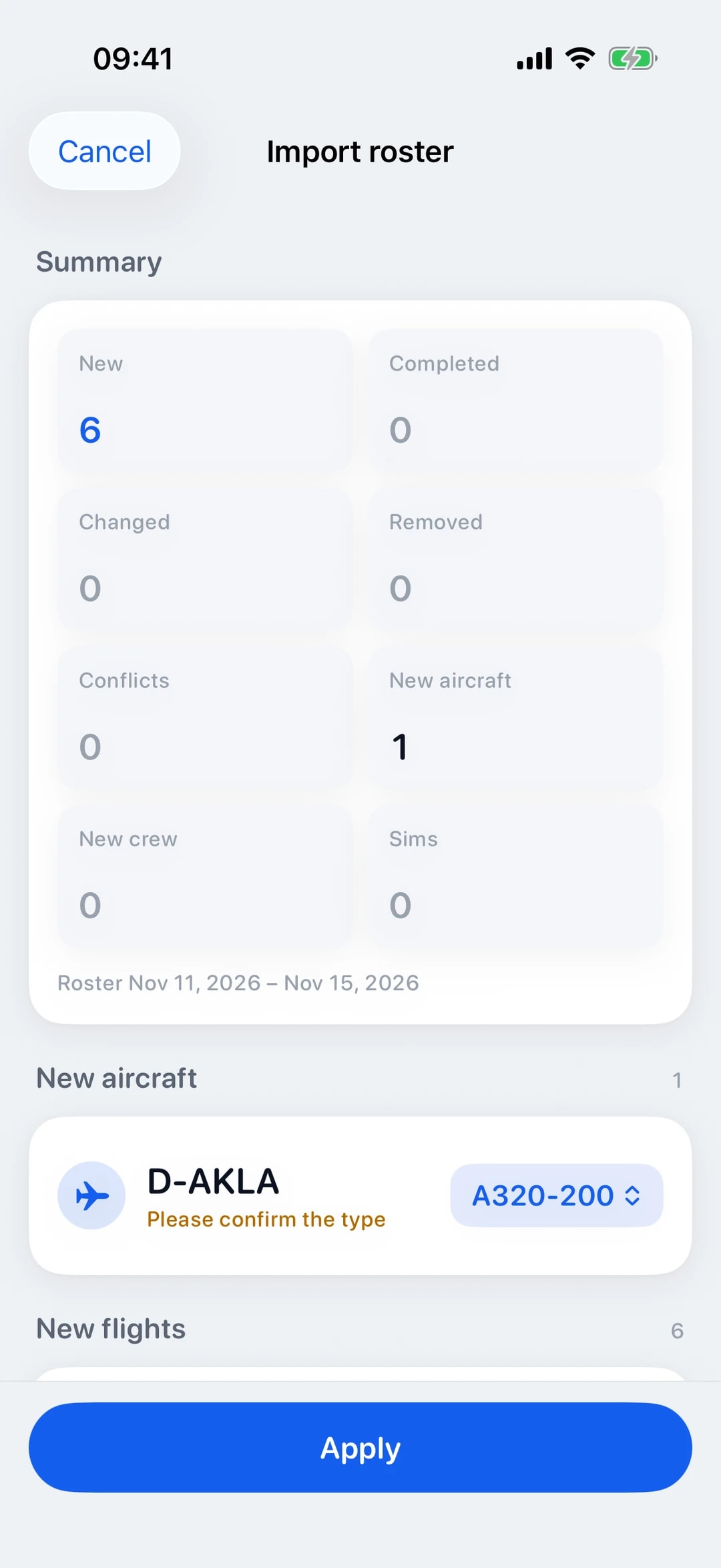
Upload your roster as a PDF. Log-K reads flights, aircraft and sim duties from NetLine/CREWLINK (IDP and FTR) and CrewAccess, plus crew where the format has it. You check everything in a preview before it goes into your logbook. More on roster import.
Switching from another logbook? Bring it along from a LogTen Pro backup, a LogTen text export, an OffBlock CSV or an EASA-layout logbook PDF, without duplicates (switching to Log-K). Both imports need an account and an internet connection, because the files are processed on our server.
Insights
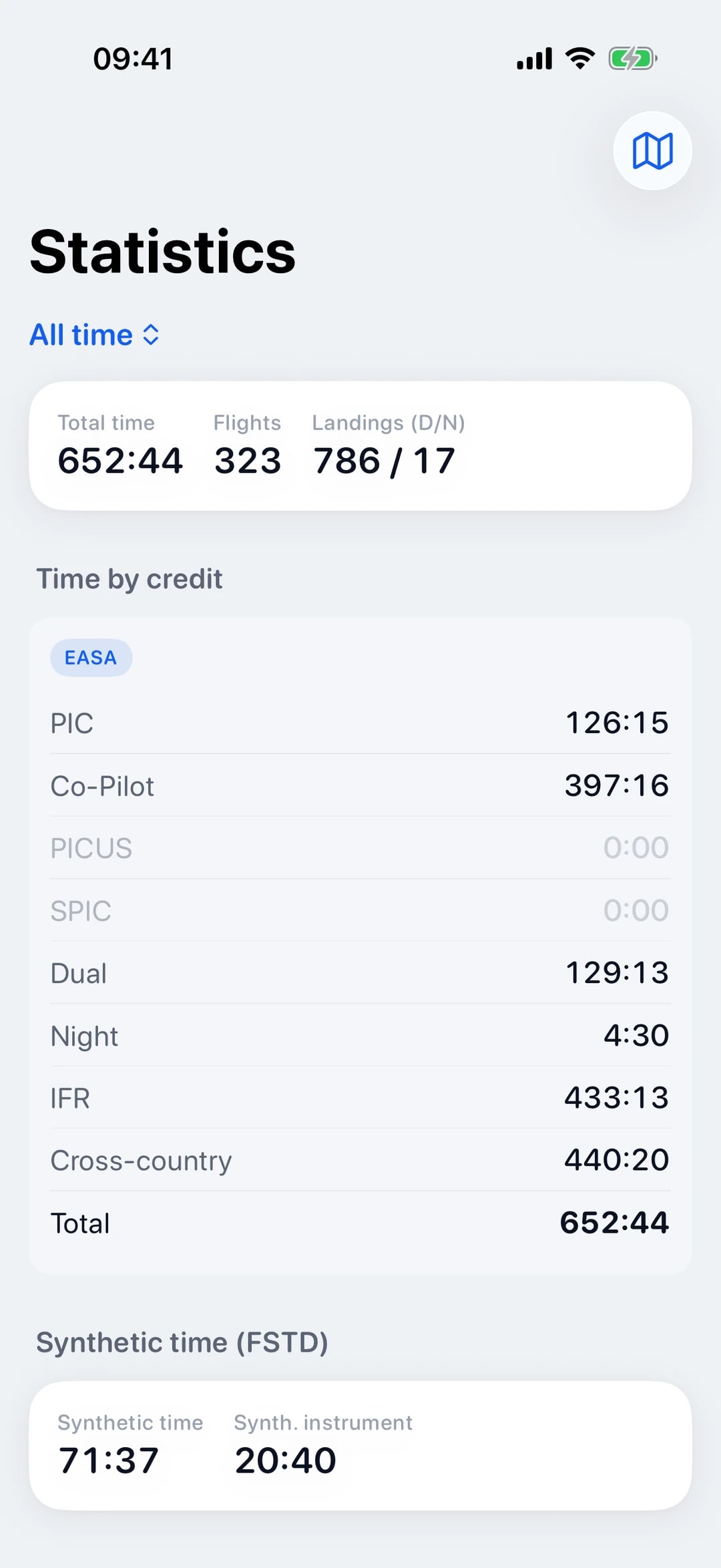
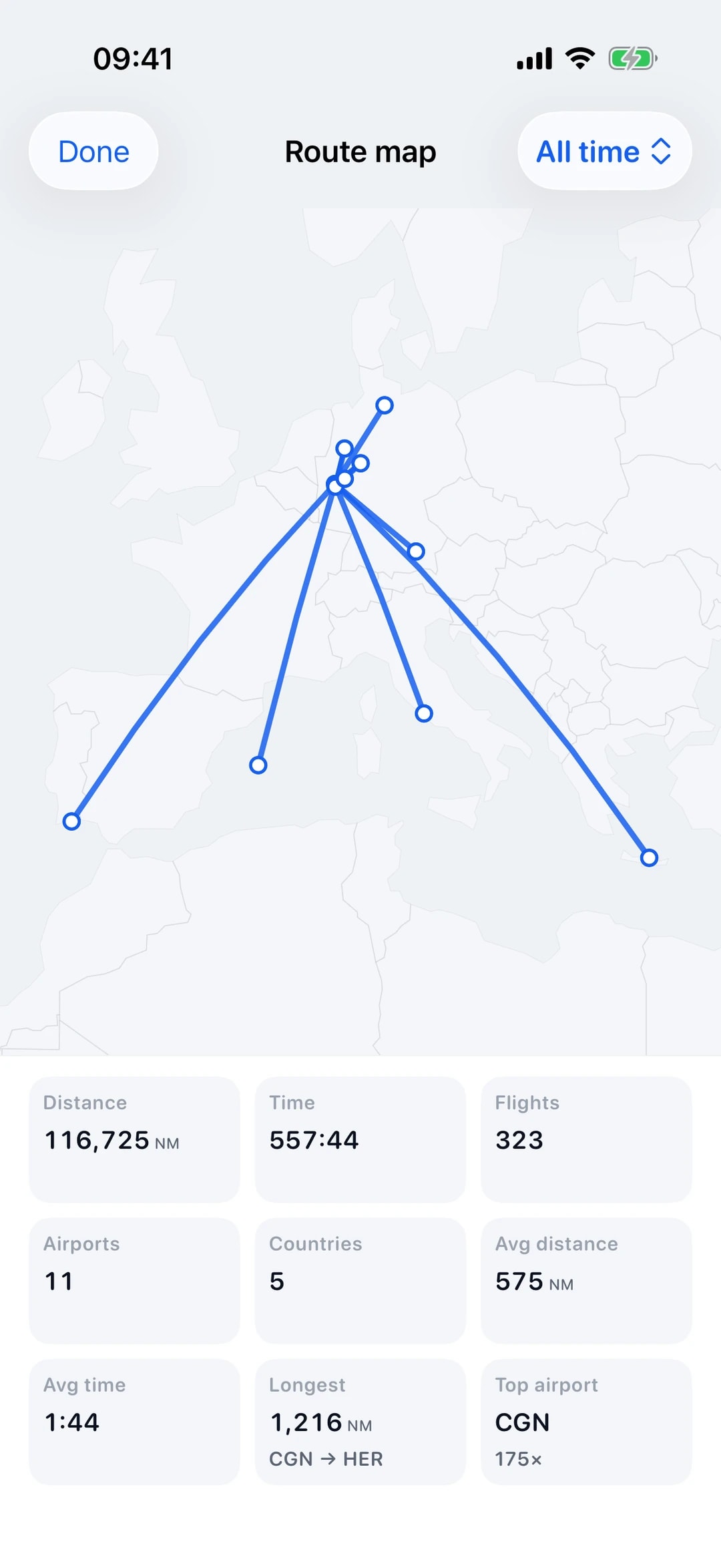
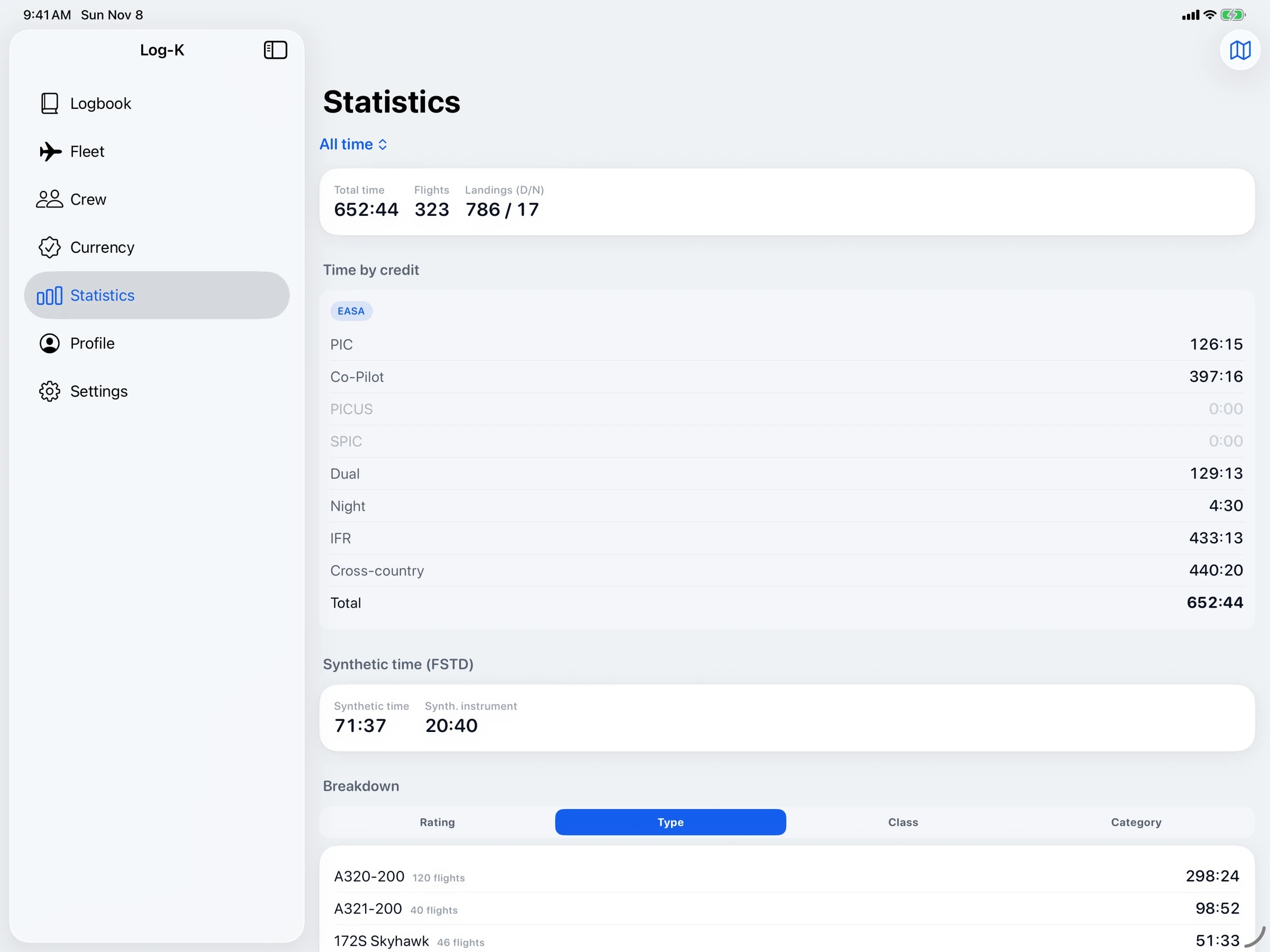
Statistics show your hours and flights by type, class and category, for your whole logbook, a single year or the last 12 months. The route map draws the flights you have flown, and in the iOS app it works without a connection too.
To print or hand over, you export your logbook as a PDF in EASA or FAA layout, in the iOS app or in the web logbook (currently in German), for any period you choose and with your previous experience carried forward. The statistics in the app and on the web also show the totals of the EASA or FAA columns.
Crew and fleet
Share flights with your crew, up to 50 at a time; solo flights are left out. Whoever receives them needs a Log-K account and adds the flights to their own logbook instead of typing them in.
Set up crew members and aircraft once in your catalogues, then simply pick them. Search is forgiving about spelling: “mueller” also finds “Müller”.
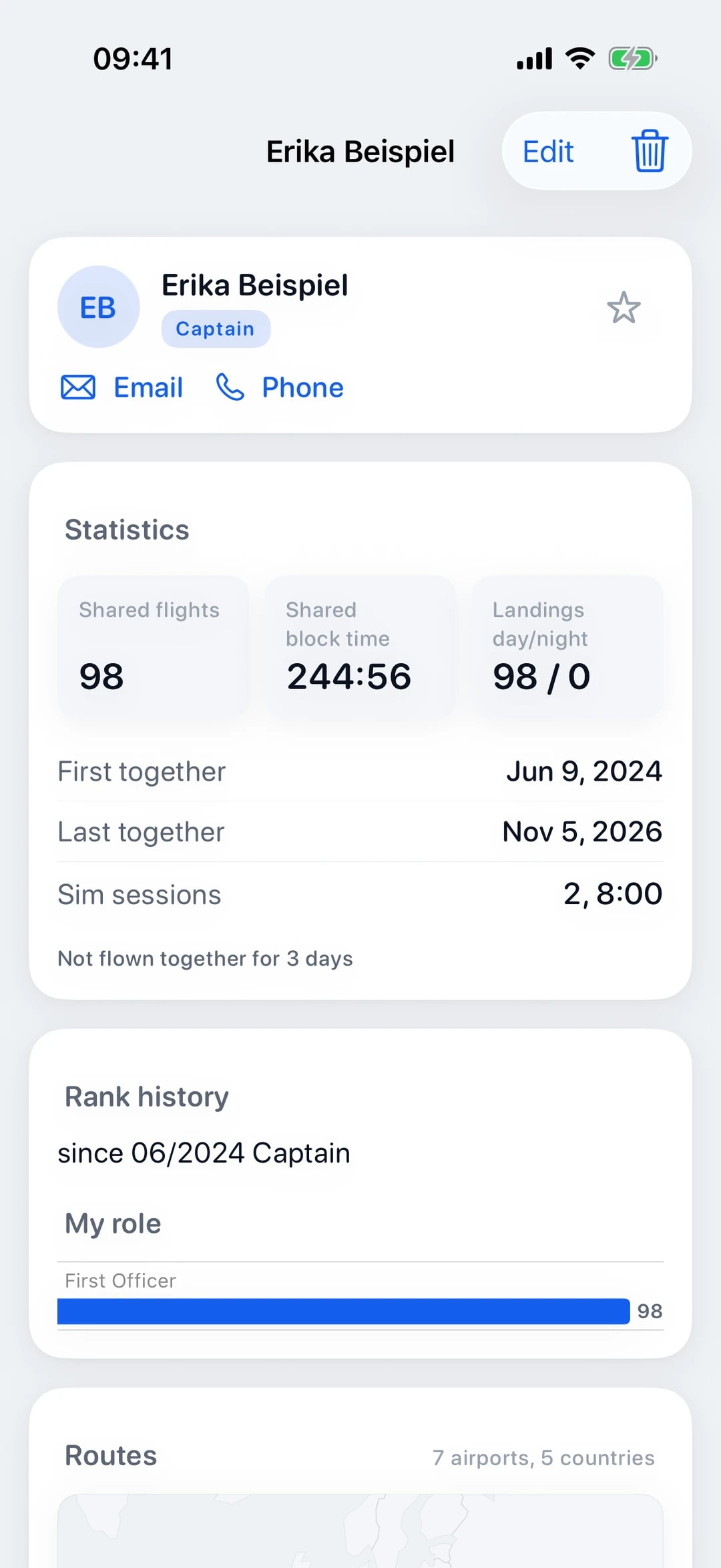
For every crew member and every aircraft, Log-K shows your shared block time, recent flights and a route map. If you no longer want shared flights from someone, block the sender; that applies to your whole account.
Everywhere
The iOS app runs on iPhone and iPad with iOS or iPadOS 18.2 or later, and it works offline: log flights in the cockpit or at the hotel, and everything syncs once you are back online.
Your account keeps all your devices and the web logbook (currently in German) up to date. In the browser you can log and edit flights and simulator sessions, see columns, statistics and recency, import rosters and export your logbook as a PDF.
On iPad, a sidebar takes you to every section and sits next to the content in landscape. The app and the web logbook (currently in German) follow your device’s dark mode, and the app comes in German and English. The sync status in the app shows whether changes are still waiting to sync.

App lock and privacy
The iOS app lock asks for Face ID, Touch ID or your device passcode at least once every 30 days. On top of that come an encrypted connection (TLS), servers with Hetzner in Germany and no trackers. Log-K shows no ads and does not sell your data.
Which service providers are involved, for example for sending email or looking up flight times, is set out in the privacy policy. You can delete your account yourself at any time.
Our server stores passwords only as bcrypt hashes, never in plain text, and limits repeated sign-in attempts. Signing out ends your session on the server too, and you reset a forgotten password through a link sent by email. More answers about your data are in the FAQ.
Platforms
Most features are in both the iOS app and the web logbook (currently in German). On the web, expiry reminders come by email once you switch them on in the settings. Only the iOS app works without a connection, and the app lock is only there too.
| Feature | iPhone/iPad | Web |
|---|---|---|
| Log and edit flights | Yes | Yes |
| Cabin and passengers | Yes | Yes |
| EASA/FAA columns with totals | Yes | Yes |
| Landings in the last 90 days | Yes | Yes |
| Expiry reminders | Yes | Yes, by email |
| PDF export | Yes | Yes |
| Roster and logbook import (with a connection) | Yes | Yes |
| Statistics | Yes | Yes |
| Share flights with your crew | Yes | Yes |
| Use without a connection | Yes | No |
| App lock | Yes | No |
Related pages
Your logbook, digital from today.
Free in the open beta. For iPhone and iPad, plus the web logbook (currently in German).