Glider logbook: Logged launch by launch.
Log-K keeps your gliding logbook with the launch method on every flight. From that, the app shows your Part-SFCL recency status for each launch group, for sailplanes and for touring motor gliders (TMG).
Launch methods, logged properly
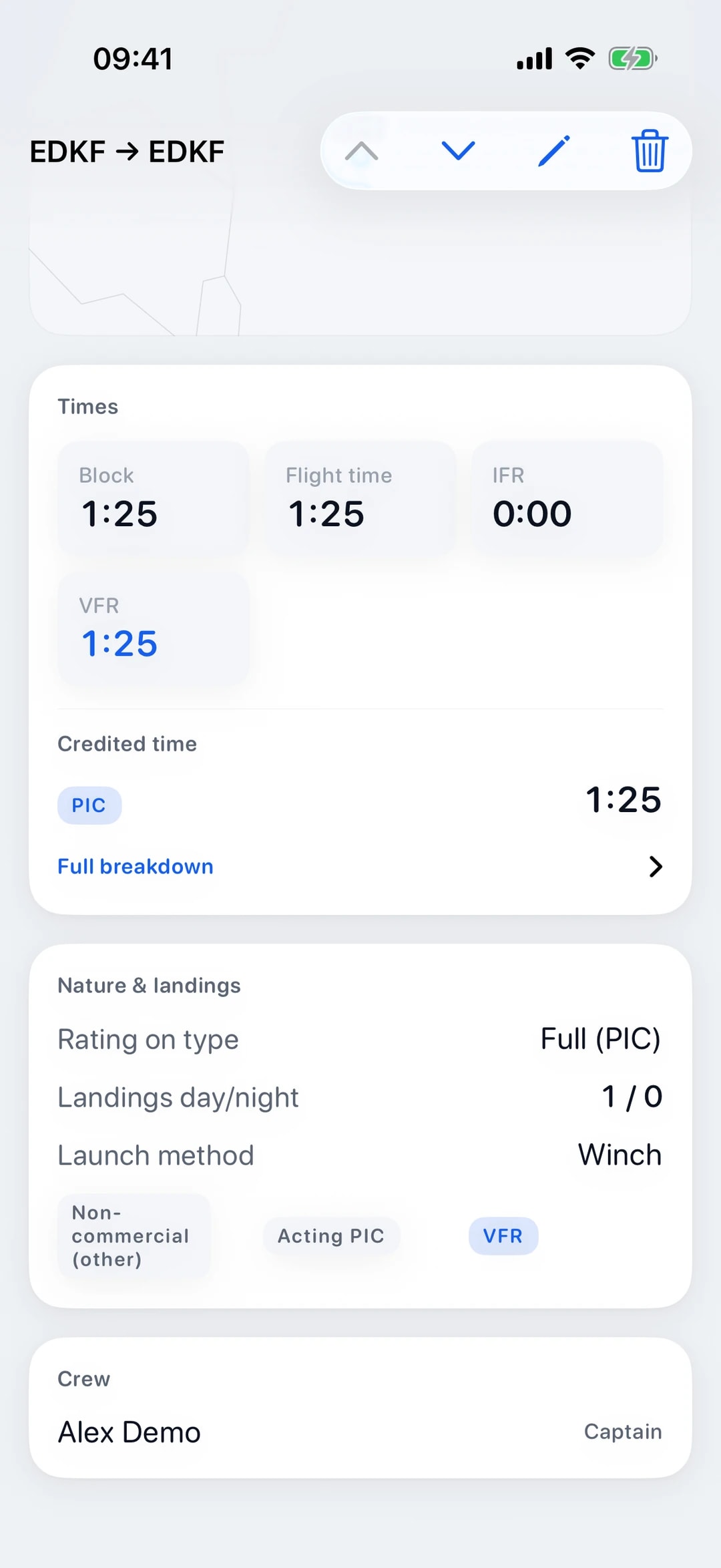
For a sailplane or TMG flight you pick the launch method: winch, aerotow, car, self-launch or bungee. The field appears for aircraft in the glider category and stays out of the way on powered flights.
Anything that doesn’t fit the list goes under “other”. Those launches stay in your logbook as usual but count towards no recency group, because Log-K cannot assign them to a launch method under SFCL.155.
You log take-offs, landings, times and airfields just as you would for any other flight. Log-K picks up the launches for recency, so nothing has to be counted twice.
Part-SFCL recency
From your flights, Log-K works out your recency status under Part-SFCL: for SPL privileges on sailplanes, for TMG privileges and for each launch group under SFCL.155. Winch and car launches form one group in Log-K; aerotow, self-launch and bungee have a group each.
For each rule you see which requirements are met, what is still missing and until when your status holds without further flights. Simulator sessions and flights as a passenger (deadhead) do not count.
Some of the limits Log-K uses come from secondary sources and have not all been verified against the official wording; the app marks those rules. Please check the limits against the regulation text: Part-SFCL is in EASA’s Easy Access Rules for Sailplanes.
Carrying passengers
SFCL.160 sets separate requirements for carrying passengers, one set for sailplanes and one for TMGs. Log-K shows the status for both, counted from your flights as pilot in command (PIC).
Whether you may take a passenger on a given day is your call, based on the regulation text; the display is an aid, not a clearance. Aeroplanes and helicopters follow a different rule, covered in our guide to passenger recency in powered flying.
On the web too
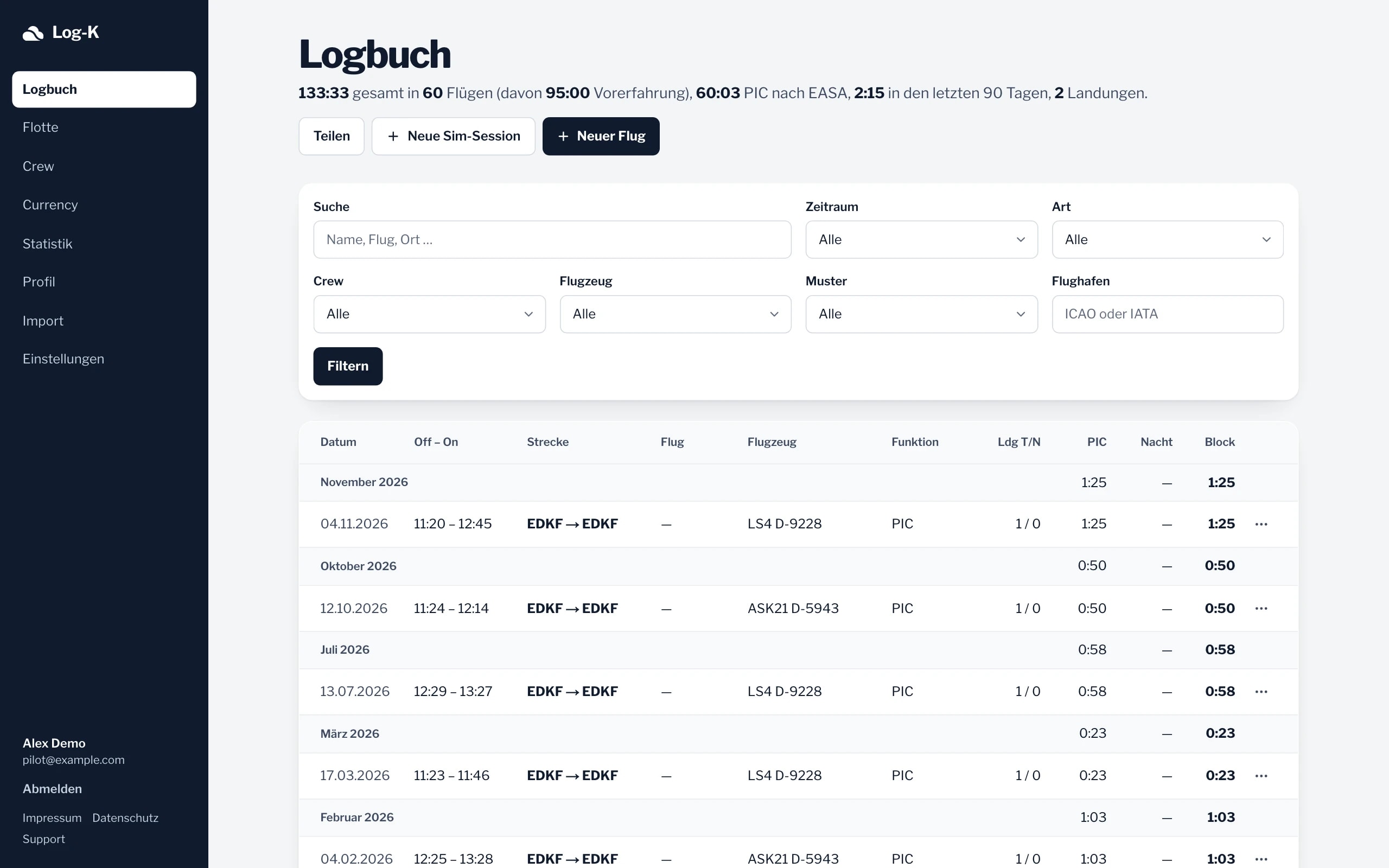
In the web logbook (currently in German) you can log the launch method as well, and its currency page shows the same gliding status as the app. Both stay in step through your account.
The iOS app also works offline, for example at an airfield without signal; the web needs a connection. Everything else Log-K does is listed under all features.
Frequently asked questions
What about launches logged as “other”?
Which limits does Log-K use for SFCL recency?
Can I log touring motor glider (TMG) flights?
Related pages
Your logbook, digital from today.
Free in the open beta. For iPhone and iPad, plus the web logbook (currently in German).